 Pocket Exchange Center
How to trade cards in Pokemon TCG Pocket
Welcome to pokemon-tcg.exchange, the exchange center for Pokemon TCG Pocket players! This guide explains how trading works in the game, and how the site finds you players to trade with online.
How trading works in the game
- You can only trade with players on your friends list.
- Both cards must have the same rarity: a ◊◊ card for another ◊◊ card.
- Some cards cannot be traded: ☆☆☆ cards, crown cards and promo cards.
- From ◊◊◊ up, a trade costs Shinedust, to both players.
- Every trade uses trade stamina, which comes back with time or with trade hourglasses.
- Both players have to accept the trade.
What a trade costs
| Rarity | Shinedust | |
|---|---|---|
 | Common | Free |
| Uncommon | Free |
| Rare | 1,200 |
| Double Rare | 5,000 |
 | Art Rare | 4,000 |
| Super Rare | 25,000 |
 | Shiny | 10,000 |
| Shiny Super Rare | 30,000 |
| Immersive Rare | Cannot be traded |
 | Crown Rare | Cannot be traded |
How to find players to trade with online
The game only lets you trade with friends, and does not help you find them. That is what pokemon-tcg.exchange is for:
- Your wishlist: select the cards you want.
- Your offers: select the cards you can give.
- Your Friend ID: the players who match with you add you as a friend with it.
- Your matches: the site finds the players who give what you want, and want what you give.
- Your trades: see the proposals, talk with the other players, and update your lists at any time.
The trade itself is made in the game, between friends. The site is free, and never asks for your game account.
How to use the site, step by step
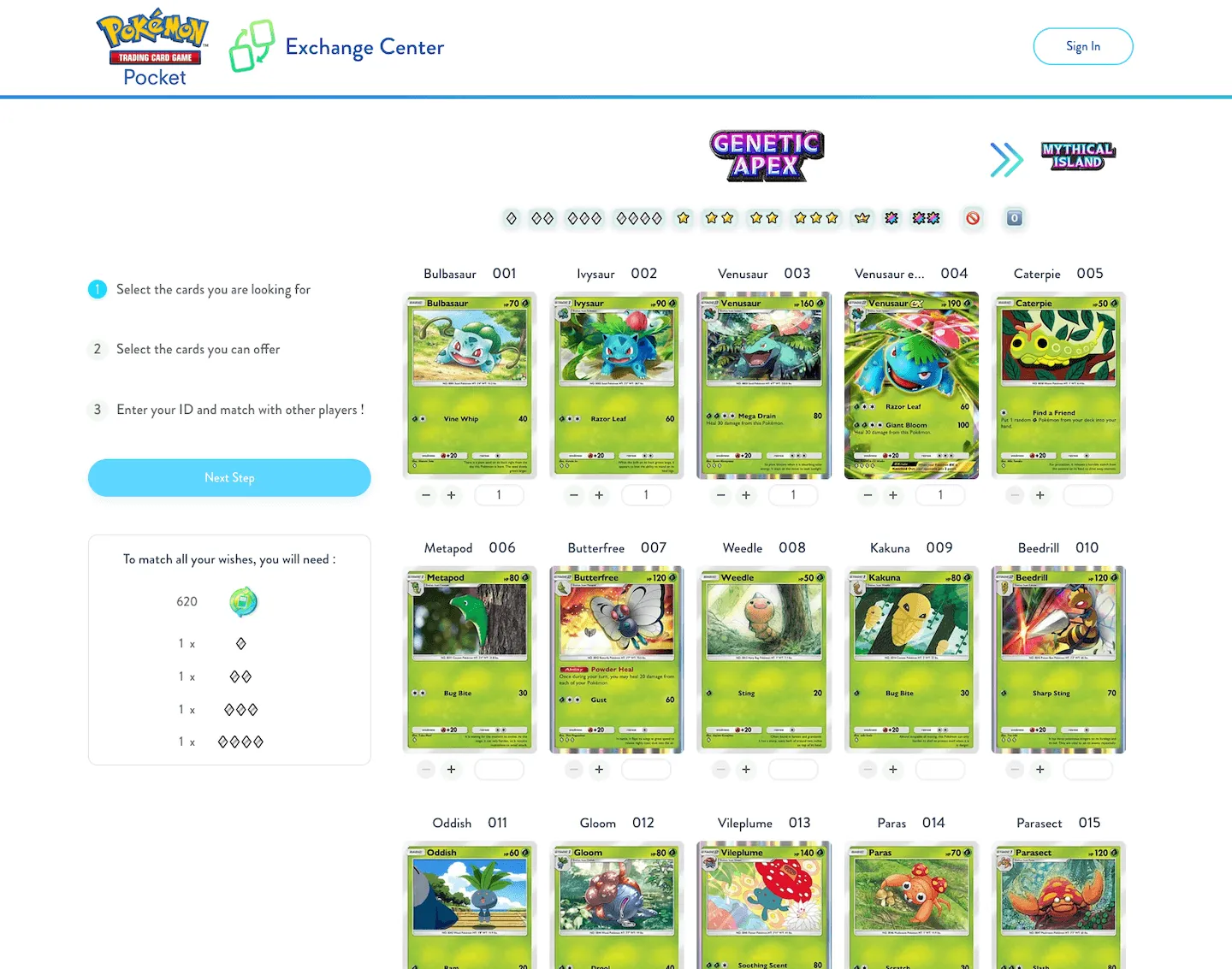
Select the cards you want
Browse every Pokemon TCG Pocket card, and filter by set, rarity or name to find the ones you miss.
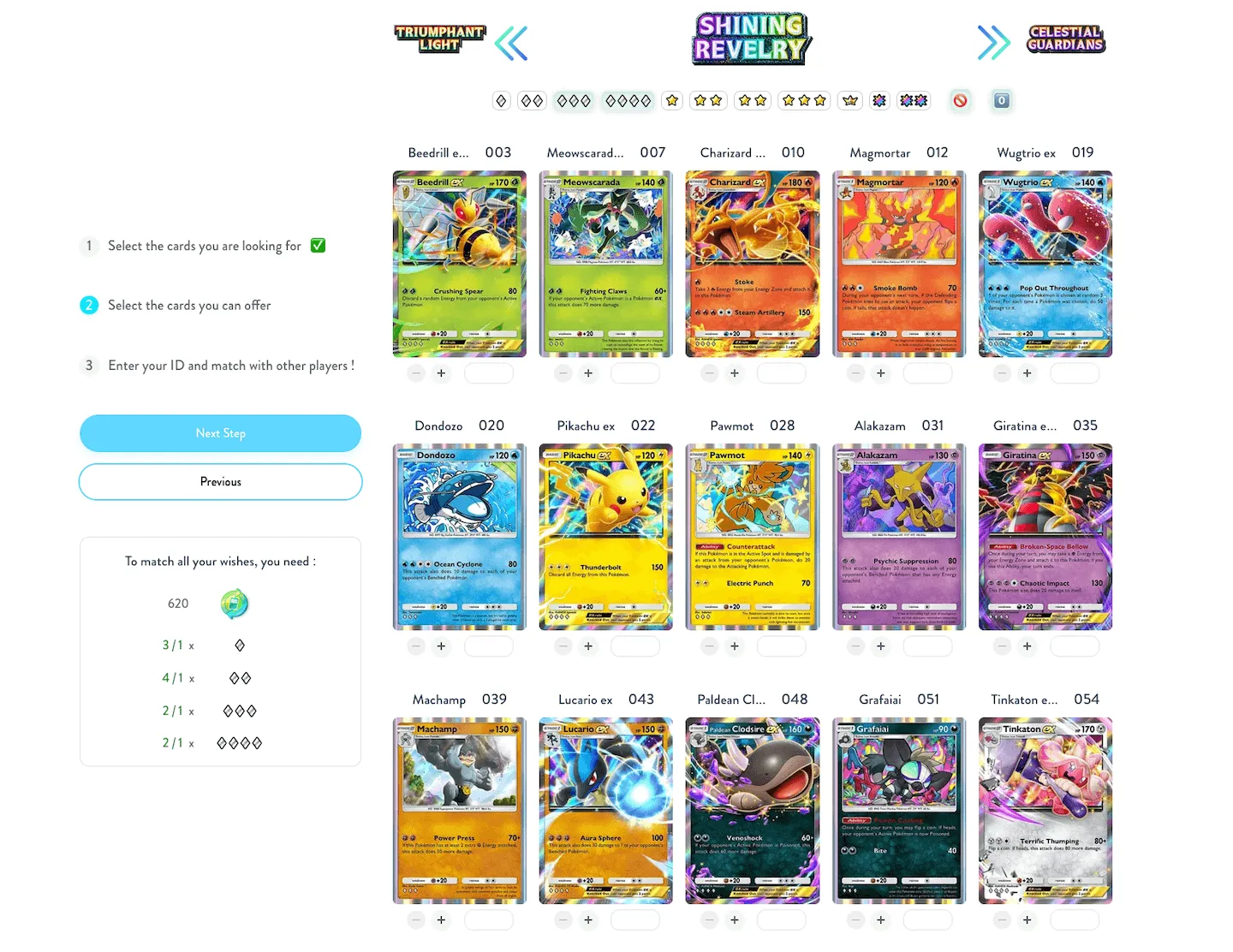
Select the cards you can offer
Add the duplicates you can trade away. The more you offer, the more matches you get. With a joker, you give all your cards of one rarity in a set with a single click, except the ones you want.
Enter your Friend ID
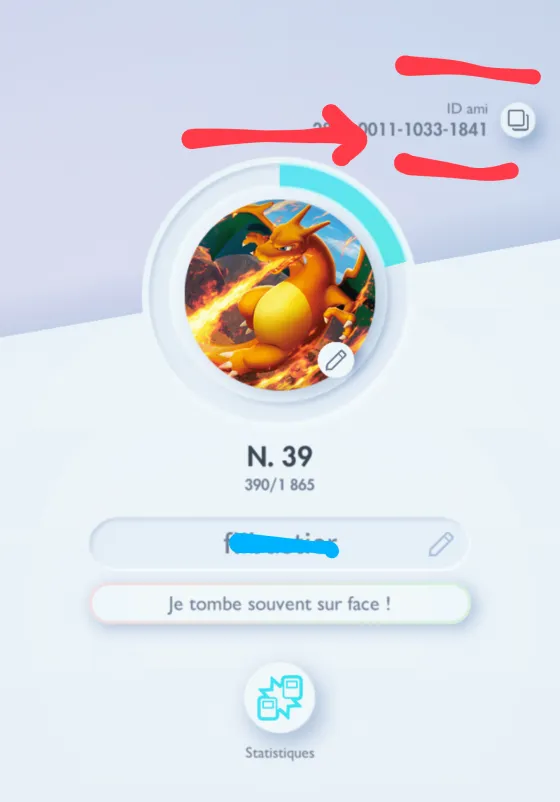
Your Friend ID is a 16-digit number of Pokemon TCG Pocket. To find it:
- tap your avatar or your name in the game,
- your Friend ID is at the top of your profile,
- enter it on the site, without hyphens.
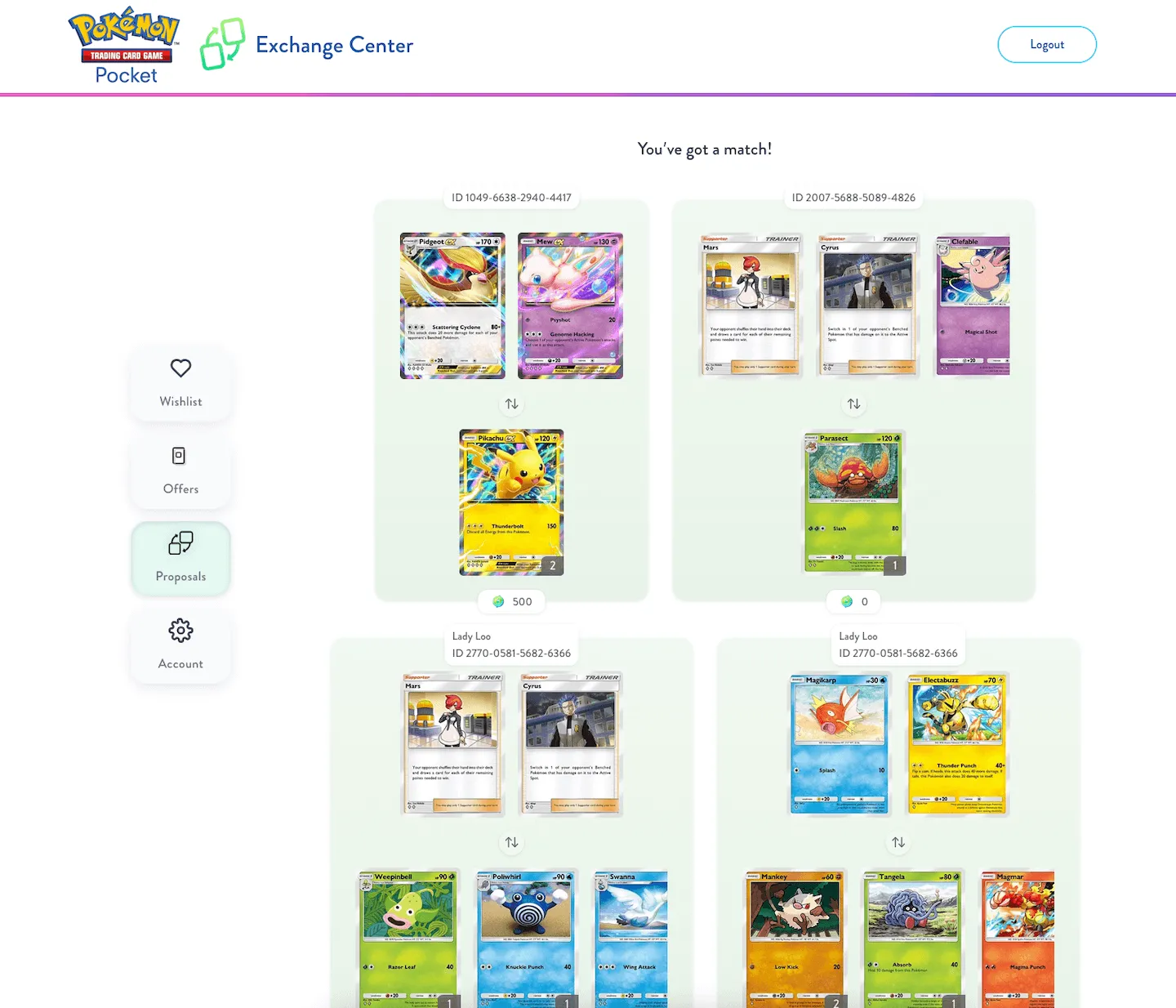
Get matches and proposals
The site compares your lists with those of the other players. For each match, you see:
- the cards you can trade, and what they cost in Shinedust,
- the pseudonym and Friend ID of the other player, with a QR code to add them,
- when they last came, and a way to write to them.
Keep your account up to date
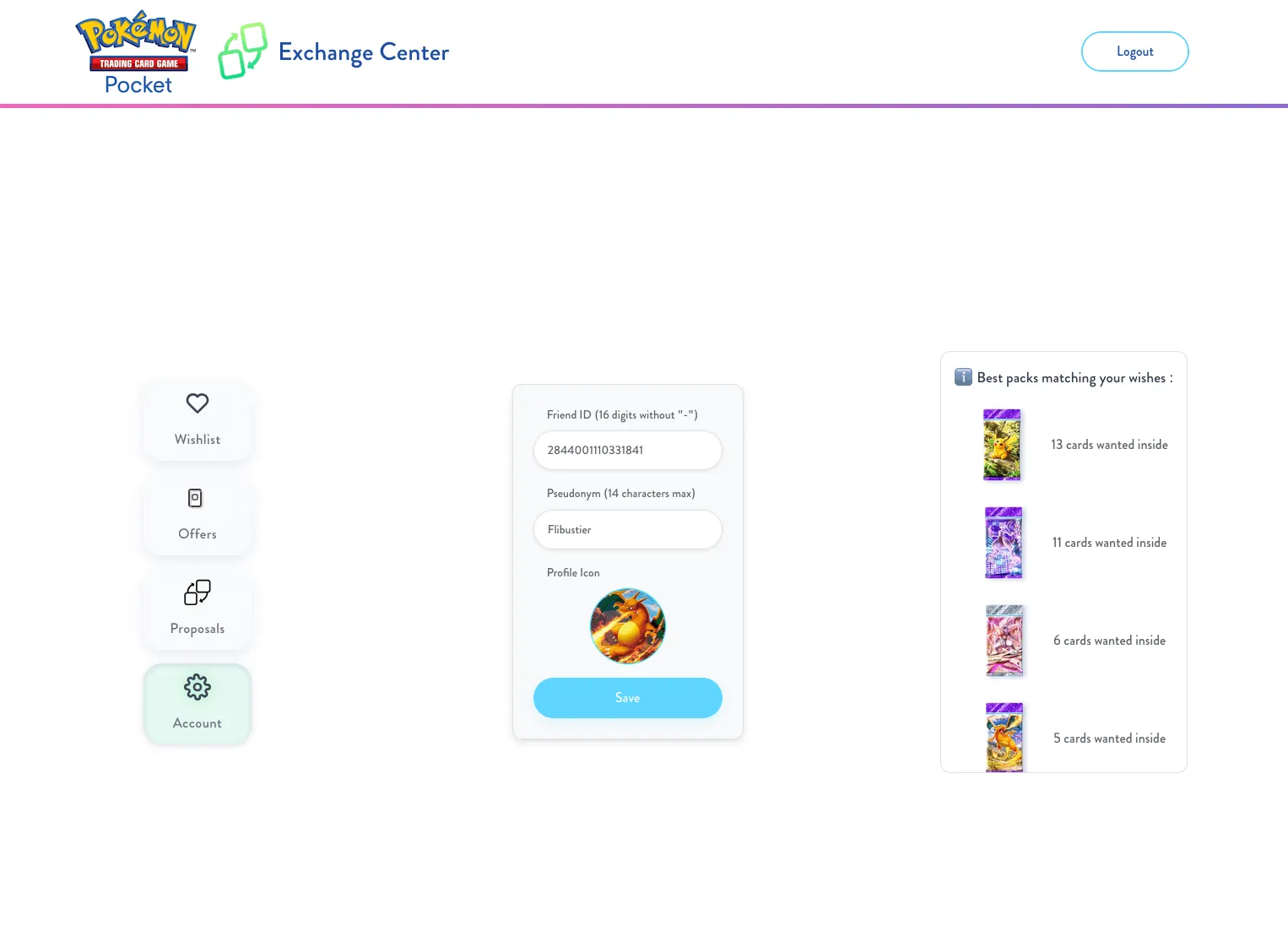
Choose the same pseudonym and icon as in the game, say which rarities you accept to trade, and edit your lists as your collection grows.
Which booster packs to open
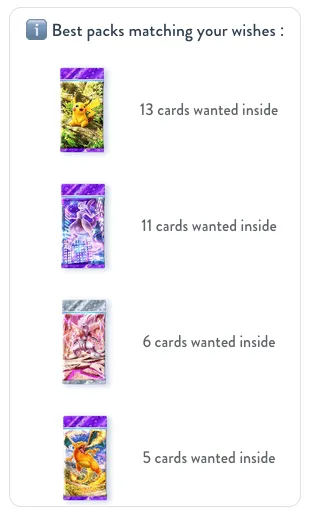
In the Insights menu of your account, the site counts the cards of your wishlist in each booster pack:
- see at a glance which packs hold the most cards you miss,
- open the right ones first, and trade for the others.
Frequently asked questions
How do I exchange Trade Tokens in Pokemon TCG Pocket?
Trade Tokens no longer exist: Shinedust replaced them in July 2025, and the tokens the players had were turned into Shinedust. Trades are now paid in Shinedust.
How do I get Shinedust?
You get Shinedust when you obtain a card you already have, and from missions and events.
Which cards cannot be traded?
Cards with three stars (immersive), crown cards and promo cards cannot be traded. The site shows them with 🚫, and leaves them out of the proposals.
Can I trade with any player online?
Only with your friends in the game. When the site finds you a match, add the other player with their Friend ID or their QR code, then start the trade in the game.
How do I find my Friend ID?
Tap your avatar or your name in the game: your Friend ID is at the top of your profile. Enter its 16 digits on the site, without hyphens.
Why do First Partners (SP1) cards have their own proposals?
Cards of the First Partners special pack are only traded for cards of the same pack, so the site matches them apart.
Can I exchange pack points for cards?
Yes, in the game: opening packs of a set gives you points, which you spend on a card of that set. Tap a card on the site to see how many points it costs.
Can I change my wishlist or my offers later?
Yes, at any time from your account. Up-to-date lists give you better matches.
How do I delete my account?
At the bottom of the Account page. Your lists, your email, your password and your Friend ID are deleted for good.
Contact us
A question, an idea, a problem? Write to us at help@pokemon-tcg.exchange.